The business layer for AI-built apps.
Your coding agent builds the product, OrbitOrca turns it into a business. Point Claude Code, Cursor, or any coding agent to OrbitOrca and it deploys to a live URL with sign-in, a database, Stripe payments, your custom domain, and analytics switched on, all from the chat you already use.
Scroll and follow the orca or skip to the page
Stop 1 of 6
Point your agent at your code.
Tell Claude Code, Cursor or any coding agent that takes a prompt to put your app on OrbitOrca. It creates the app from your GitHub repo or a ZIP.
Your part: approve the GitHub connection, once.
Claude Code, OrbitOrca MCP server
my-shopcreated from GitHubYouApprove the GitHub connection. Once.
Stop 2 of 6
One question, then the check.
Before the first deploy your agent asks whether the app already has real users or data. Then we check the code for anything that would break it or leak a key.
A must-fix finding blocks the build until your agent applies the fix. You never open the code.
Readiness check
- ✓ Start instructions found
- ✓ No keys exposed to the browser
- ! A password is in the code✓ Password moved out of the code
Stop 3 of 6
Then it ships.
Your agent starts the build, watches it and picks the address. You get an https link anyone can open.
A failed build never touches the running app. A bad version rolls back. A crash restarts itself.
Going live
- Preparing
- Starting
- Live
Stop 4 of 6
Sign-in and a database, switched on.
Your agent turns on sign-in. Sign-up, log-in and password reset come ready. Your users live in your app's Postgres database, created on the first deploy.
You see who signed up in the dashboard.
Users and data
In your app
ana@example.comSign upUsers
ana@example.comsigned up just now- ✓ Postgres database, wired to your app
Stop 5 of 6
Charge for it. Stripe stays with us.
Your agent turns on payments, creates the product and price, then adds checkout and the paywall to your code from the prompt we give it. Customers pay you, through Stripe.
Your app never holds a Stripe key. It only asks us: has this user paid? Your part: verify your Stripe account.
Payments
Product
$12 a month
ProIn your app
PayHas this user paid? YesYouVerify your Stripe account: identity and bank.
Stop 6 of 6
Your own domain, one record.
Add your domain in the dashboard and copy one record to where you bought it. We check it and issue the certificate.
Your first link keeps working underneath.
Your domain
| Type | Name | Value | |
|---|---|---|---|
| A | @ | 203.0.113.10 | Copy |
YouAdd this record where you bought the domain.
CheckingConnected, certificate issued
my-shop.apps.orbitorca.com still works
Say “ship it”. Charge for it. Keep your code.
Sign-in, a Postgres database, Stripe payments, analytics and your own domain, around the app you already wrote.
GitHub or ZIP. Your code, users and data stay yours.
Walkthrough
See an app go live
Watch the product walkthrough, then bring your own app.
Product
The backend, switched on by your agent.
Your agent switches each piece on through the OrbitOrca MCP server: Claude Code, Cursor, VS Code, Windsurf, Claude.ai or any agent that takes a prompt. Connect your AI assistant
Shown in the story: Sign-in, Payments, Your domain.
- Analytics
Visitors, top pages and referrers, kept for 180 days. No code to add.
- Database
Postgres, handed to your app as
DATABASE_URL. - Logs
Your agent reads the app's logs and fixes what broke.
- Auto-deploy
Redeploys on every push, if you switch it on.
Guardrails, because an agent is driving.
- Checked before every build
Keys left in the code, missing start instructions, risky packages. A must-fix finding blocks the build and comes with a fix prompt.
Your partNothing. Your agent applies the fix.
- Asked before the first deploy
Does the app already have real users or data? Until your agent records your answer, nothing ships.
Your partAnswer once.
- Secrets it can set, never read
Your agent makes the slot, you type the value in the dashboard. No one can read it back, not even your agent.
Your partType the value, once.
Compare
Keep your builder. Add a business.
Different tools help at different stages. Here’s where OrbitOrca fits when you already have an app.
| What you need | AI coding toolsClaude Code · Cursor · Codex | App platforms & hostingLovable · Replit · Vercel | OrbitOrcaFor the app you already built |
|---|---|---|---|
| Build and change code | Their core job | Builders or connected development tools | Bring code from your preferred builder |
| Put your app online | Connect a hosting service | Hosting available | Import from GitHub or ZIP, then deploy |
| Customer accounts & payments | Ask the agent to implement integrations | Built-in options or integrations; varies by platform | Managed logins, checkout and subscriptions |
| Understand your business | Add your own tools | Analytics and dashboards vary by platform | Customers, revenue and usage in one console |
| Keep using your AI assistant | Build in your existing project | Workflow depends on the platform | Deploy and configure through MCP |
These are categories, not identical products. Lovable and Replit offer payment integrations; Vercel supports payment and authentication integrations. Capabilities and setup vary.
No gloss
What works today, and what doesn't yet.
You are about to hand us your code, so here is the state of things without the marketing gloss.
Running in production now
- Deploys from GitHub or ZIP, automatic databases, zero-downtime releases, self-healing
- Custom domains with certificates issued automatically
- Accounts and login for your app, managed by us
- Payments, plans, trials, checkout and a customer portal
- Analytics, an admin panel, the AI agent, browser terminal and SQL console
- Security scanning on every build, isolated builds, hard per-app resource limits
Still being hardened during the beta
- The first real charges are being verified with beta members this month
- The deeper AI code review and commercial-readiness score arrive after the beta
- File storage, outbound email and scheduled jobs are next, not shipped
- Which frameworks we accept is decided per app — tell us your stack and we will confirm
Launched on OrbitOrca
Built by people with an idea.
Real apps at real addresses, each one from a laptop and a coding agent, with sign-in, a database or payments added the way the story above shows.
- tikrtown.com
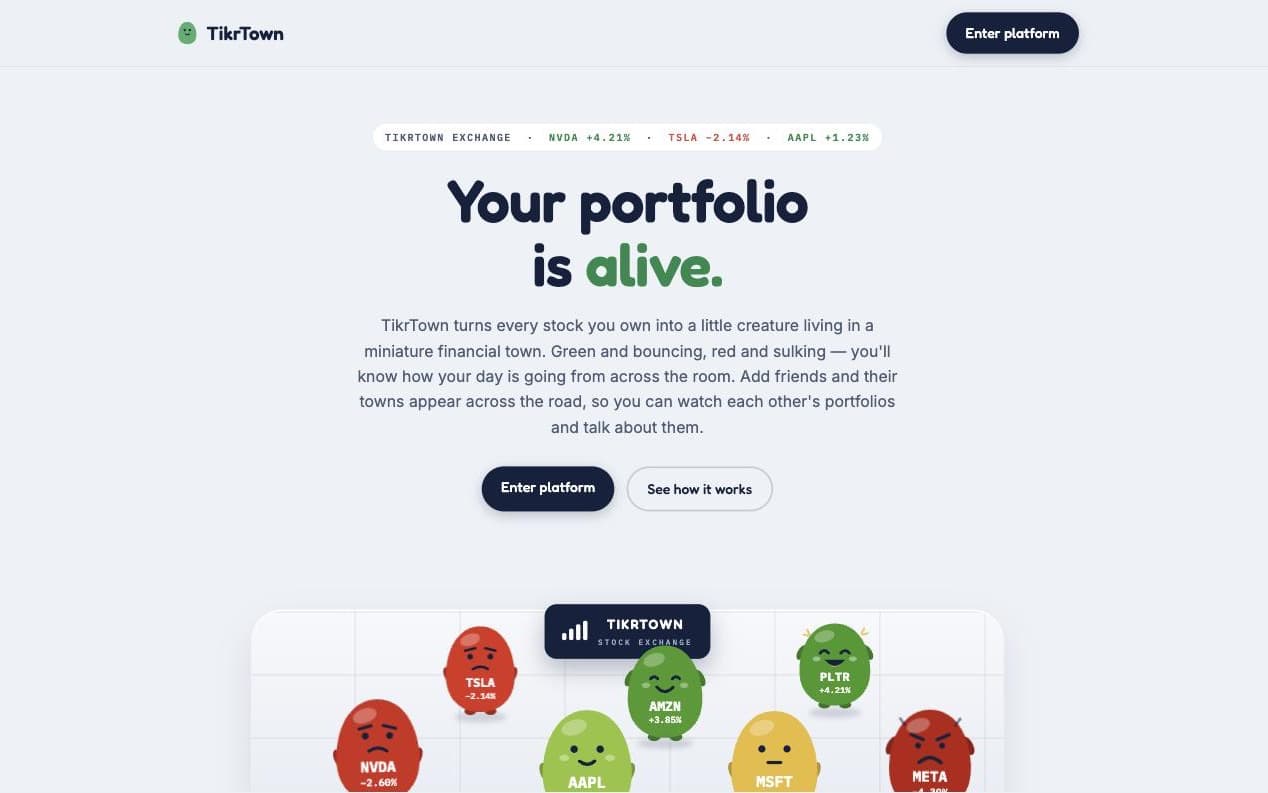
TikrTown
Every stock you own becomes a little creature in a miniature town: green and bouncing on a good day, red and sulking on a bad one. Friends' towns appear across the road.OrbitOrca added sign-in, analytics, and its own domain. - setvault.apps.orbitorca.com
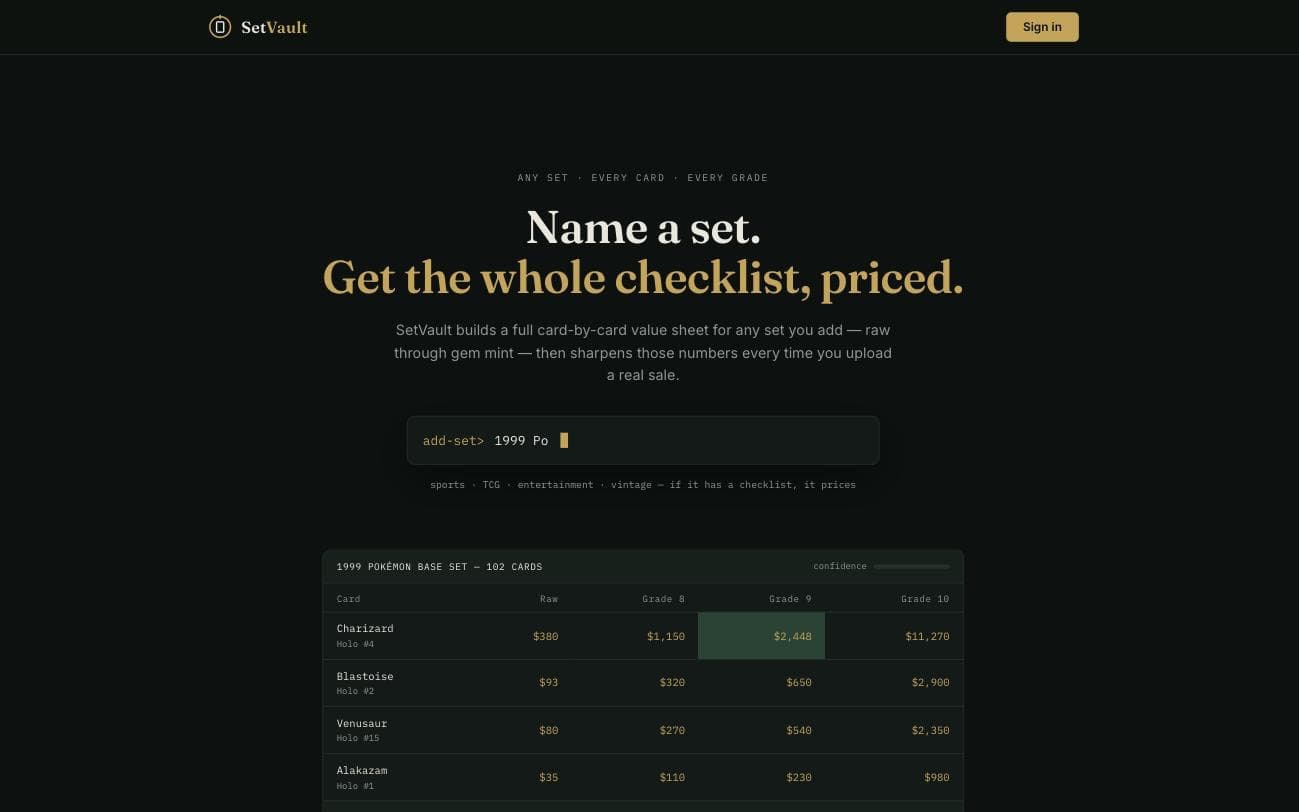
SetVault
Name a collectible set and get the whole checklist priced, card by card, from raw to gem mint, sharpened by every real sale you upload.OrbitOrca added sign-in, payments, and analytics. - tibia-mp.apps.orbitorca.com
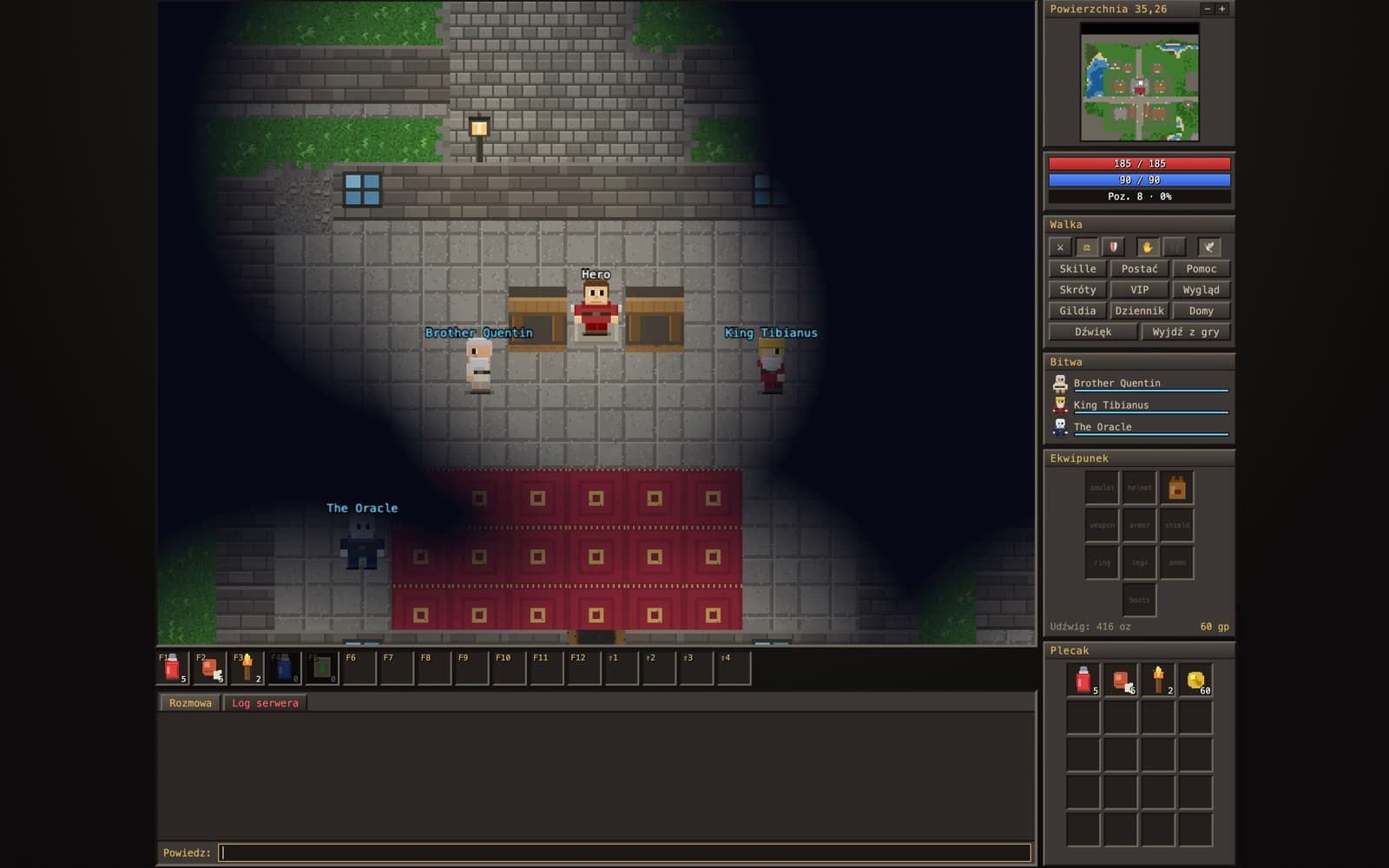
Tibia AI
A fan-made take on the classic MMORPG: one shared world with towns, NPCs and quests, and as many players online at once as turn up to play.OrbitOrca added sign-in and analytics.
In their own words
People who build on OrbitOrca.
Short clips from people who put their app on the platform, filmed on their phones.



Questions worth asking
Before you hand us your code.
Do I keep my code and my customers?
Yes, both. Your code stays yours and your customers are yours. You can export the code and the end-user data whenever you want. We operate the commercial layer around the app; we do not own the app.
What kinds of apps can you run?
Server-side web apps and services that can run in a container: Python, Node and similar, with a web or API surface. APIs, dashboards, scrapers, cron workers and AI agents all fit. Mobile apps and heavy consumer front-ends come later. Send us your stack and we will confirm before you spend time on it.
How is OrbitOrca different from a normal host?
A host runs your code. OrbitOrca also runs the layers around it, auth, subscriptions, webhooks, and secrets live on top of your codebase, managed by the platform. You need no separate payment provider, and deploys take minutes, not days. There's even an MCP connector so your AI assistant can run the deploy for you.
Do I need my own Stripe account?
No. We create and manage the payment account for you — you never sign up for Stripe, hold an API key, or write a webhook. Money moves straight from your customers to you, and we take a small percentage. Your only manual step is one hosted verification flow: identity plus the bank account for payouts, a few minutes from a link we generate.
What happens if my app breaks at 2 a.m.?
A crashed app restarts itself and a dead machine moves your app elsewhere, automatically. If a deploy fails, the agent collects the logs, the health data and your last change, then writes a fix you can paste. If it cannot solve it, it files a support ticket with all the evidence attached, so a human starts from something useful.
Where do I ask questions during the beta?
The fastest place is our Discord — the team and other beta testers hang out there, and quick questions get quick answers. It's also where we post updates first. Prefer email? hello@orbitorca.com works too.